Dialogue Pipeline
Overview
Description
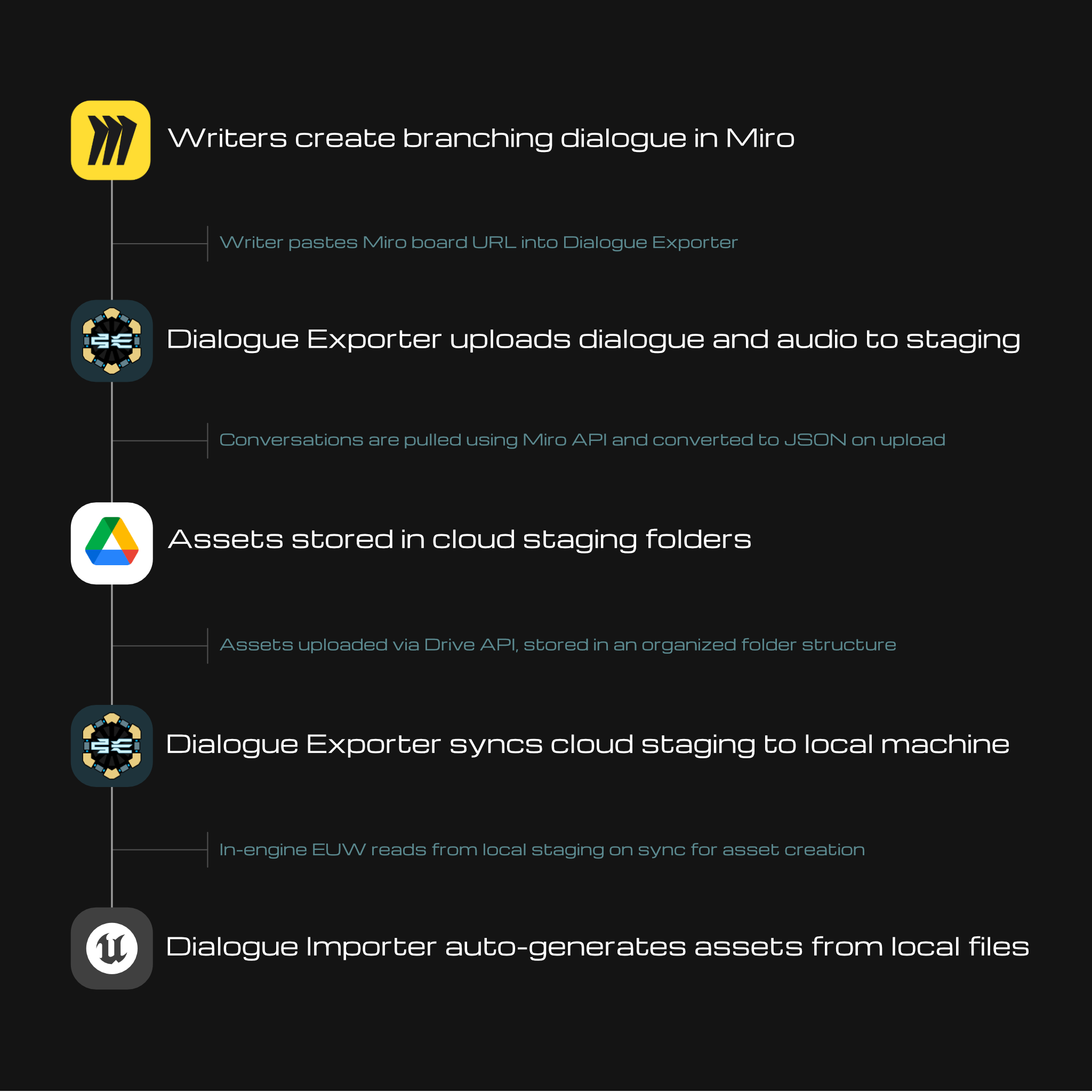
This dialogue pipeline was created to solve the collaboration and scalability problems that come with managing branching dialogue at a large scale. Manually creating and updating custom dialogue assets in Unreal became increasingly tedious, since every node in every branching conversation had to be set up by hand. Any change meant going back in and modifying it manually.
This pipeline and its associated tools removes that entirely. Writers and audio artists work outside of Unreal, submitting conversations and voiceline audio through a desktop app. All dialogue assets are now generated automatically from submitted files at the click of a button.
The pipeline is split into two tools: the Dialogue Exporter, which handles the external side (authoring, validation, uploading, and syncing), and the Dialogue Importer, a custom UE Editor Utility Widget that reads from local staging and auto-generates the in-engine assets.

Dialogue Exporter
Description
The Dialogue Exporter is a Python desktop application built to handle the external side of the dialogue pipeline. It allows writers and audio artists to submit conversations and voiceline audio to the project without needing to touch Unreal Engine.
Technical Details
The app is built in Python with a PyQt6 GUI. When a Miro board URL is submitted, the app connects to the Miro API to pull the conversation data, validates it against a set of structural rules, and converts it to JSON. The JSON and any submitted audio files are then uploaded to designated Google Drive staging folders via the Drive API using OAuth2 authentication. Uploading a conversation that already exists in staging overwrites it automatically, keeping the staging folder in sync with the latest version. When the project owner presses sync, all files in staging are downloaded to local disk and the cloud staging files are moved to their permanent organized location in Drive.
Dialogue Importer
Description
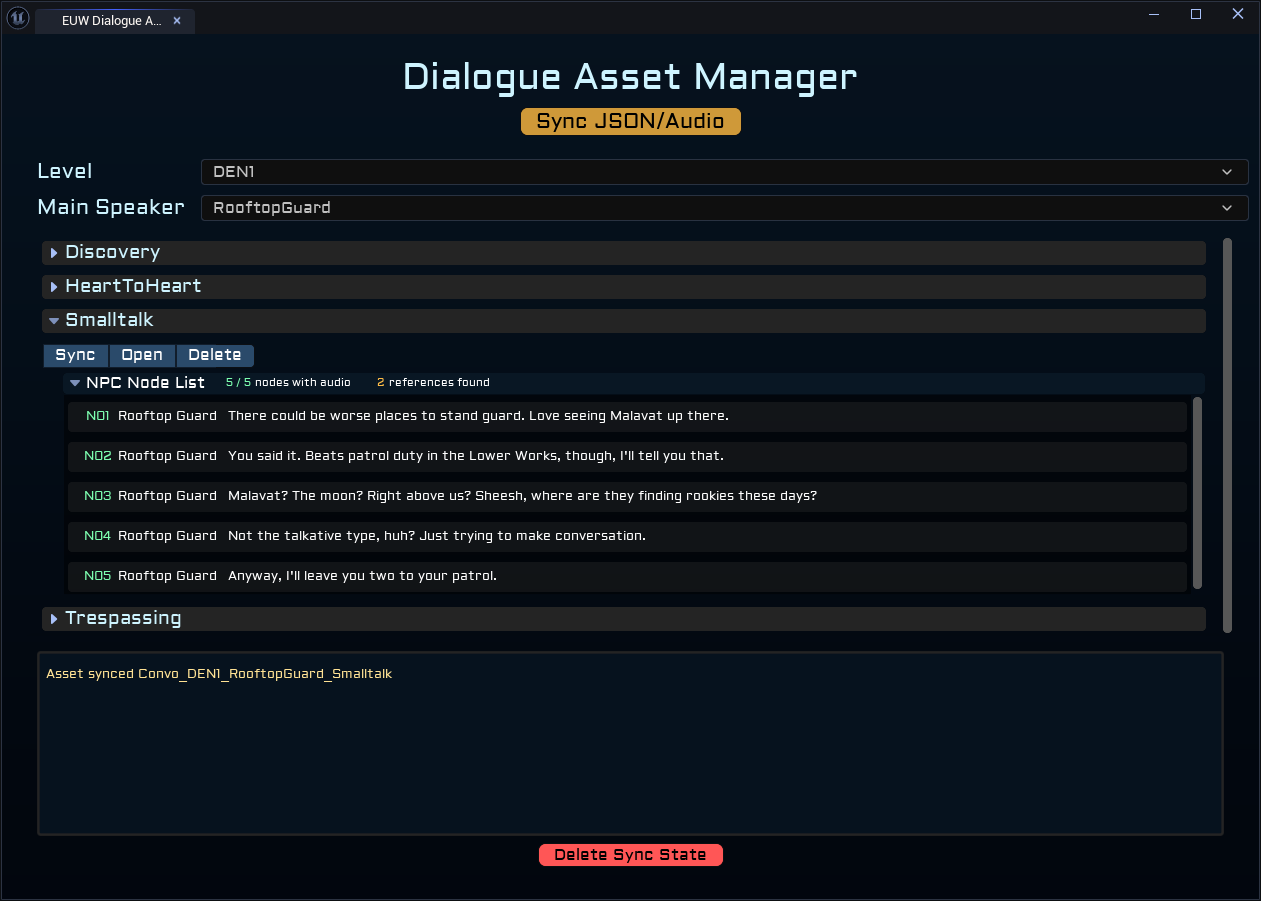
The Dialogue Importer is a custom Unreal Editor Utility Widget that reads from local staging and automatically creates and maintains dialogue assets in the engine. It handles the Unreal side of the pipeline, syncing new and modified conversations, assigning voiceline audio to conversation nodes, and providing tools to manage existing dialogue assets.
Technical Details
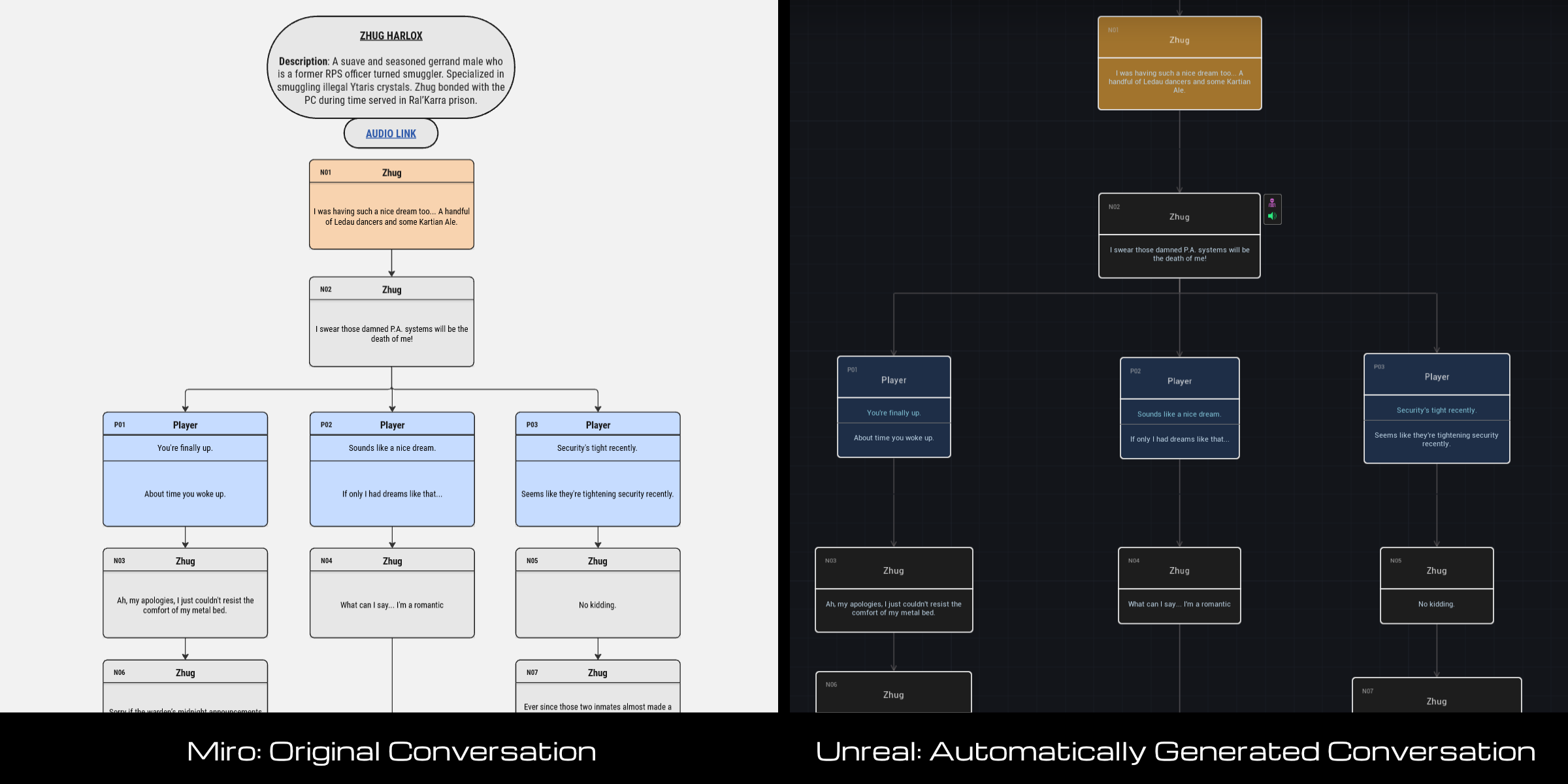
Asset Generation: The Dialogue Importer reads from local staging on sync, comparing against a sync state file that tracks which conversations were last modified and when. Only new or modified conversations are rebuilt, avoiding unnecessary regeneration. Each conversation is created as a custom dialogue asset with its branching structure fully configured and replicated from the JSON. During creation, the importer automatically searches for audio files matching each node’s unique ID and assigns them. No manual audio assignment required. Individual conversations can be manually resynced at any time, rebuilding them from the ground up regardless of sync state, which effectively resets any in-engine modifications back to what’s in staging.
Asset Managing Tools: The Dialogue Importer also provides tools to easily manage and browse existing dialogue assets. Conversations are organized by level and main speaker, making it easy to find and inspect specific conversations. Each conversation displays its node list with audio status per node, reference count, and quick access buttons to sync, open, or delete individual assets.